POLYRESONATOR
Well-known Formant Sculpting Resonator from the era of early Polysynths
POLYRESONATOR
Well-known Formant Sculpting Resonator from the era of early Polysynths
Resonance as a tonal sculptor is a spectral shaping — decades before the term became common. The resonator emphasized carefully chosen bands, creating vowel-like formants, animated timbres, and shimmering harmonic structures that felt almost acoustic.
Oscillators generated sound. Filters shaped it. Amplifiers controlled it. But..
In the early days of electronic music, most synthesizers followed a predictable path VCO-VCF-VCA & Envelopes.
But one instrument dared to go beyond traditional synthesis architecture — the Polymoog™. Instead of merely filtering sound, it introduced something far more expressive: Resonance as a tonal sculptor. It was spectral shaping — decades before the term became common. The resonator emphasized carefully chosen bands, creating vowel-like formants, animated timbres, and shimmering harmonic structures that felt almost acoustic. This is the kind of processor that makes musicians stop and ask: "What is creating that sound?"
Really, what is creating that sound?
Shape resonance — shape emotion!
POLYRESONATOR is not a strict replica — it is a respectful evolution. It introduces modern control, gain staging, and tonal engines designed for contemporary production workflows. At its heart lies a simple idea of shaping resonance
Stop EQ’ing. Start Sculpting Sound
Instead of simply cutting or boosting frequencies, builds musical resonances inside your audio, transforming flat sounds into rich, animated textures.
Make drums punch harder. Give bass physical weight. Turn synths into choirs. Push leads forward without harsh EQ. All in seconds. POLYRESONATOR lives in the space between an EQ, a filter bank, and a harmonic enhancer. Which means it solves problems most plugins can’t. Use it when a sound feels: - lifeless, - too clean, - buried in the mix - lacking emotion - missing character
When multiple resonant filters interact
sound stops behaving like raw audio… and starts behaving like an instrument
With three parallel bands, multiple filter modes, selectable saturation engines, and tuned internal headroom, POLYRESONATOR lets you explore territory that sits between filtering, formant synthesis, and harmonic enhancement. Device invites you to step outside traditional synthesis and processing workflows. It is not about removing frequencies. It is about revealing hidden tone. Whether used subtly to enhance musicality or pushed into experimental territory, it offers a rare combination of vintage philosophy and modern flexibility. Sometimes the most inspiring sounds come not from building something new, but from letting resonance bring it to life.
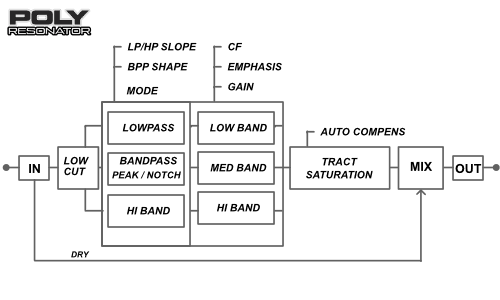
Formant Resonator Architecture
Three overlapping bands allow you to sculpt vocal-like tonal peaks and organic harmonic structures that traditional filters cannot achieve.

Engine Circuit Modes
Switch between carefully tuned saturation behaviors:
- Original: fast, articulate, vintage solid-state character - Vintage: warmer response with smoother highs - Bold: dense and harmonically rich - Console: subtle preamp-style coloration
ORIGINAL MODE
Based on original resonator diode scheme. Clear, energetic response. Fast, articulate, vintage solid-state character
Early resonator curcuit: sligtly non-linear, firm, and controlled rather than warm. Fast clipping response, Strong odd harmonics, Slight compression of peaks, Keeps transients relatively tight, Prevents resonant bands from exploding in level. Formant-focused, Mechanical / robotic edge, Great note articulation. Good for: - Emulating classic electronic textures - Making pads sound like vintage machines - Kraftwerk-style tonal shaping - Tight bass resonances - Sequenced synth lines Wants the true resonator philosophy? This is the default mode.
VINTAGE MODE
Based on tube amplification scheme. Smooth and warm. Warmer response with smoother highs
Tube-style saturation introduces gentle nonlinearities that make the resonator feel less like a filter bank and more like a vibrating acoustic object. Softer clipping curve, Strong even harmonics, Natural micro-compression, Slight transient rounding, Perceived loudness increase without harshness. Perception: Smooth, Expensive, Analog, Emotional, “Record-ready”. Best to use for: Pads, Strings, Poly synths, Electric piano, Guitar, Vocals. This is often the most musical mode.
BOLD MODE
Based on valve construction. Thick and powerful. Dense and harmonically rich
Valve-style saturation behaves more dramatically than tube — it adds weight and authority, making the resonator sound bigger than the source. Higher saturation ceiling, Strong harmonic bloom, Noticeable density increase, Controlled but audible breakup when pushed, Enhances low-mid energy. Perception: Huge, Cinematic, Modern analog, Powerful. Best to use: Mono synth leads, Bass, Drums, Industrial textures, Techno sound design. “Sound suddenly enormous?” — what can be said about BOLD mode
CONSOLE MODE
A secondary line that supports or expands on the title
Preamp-style console saturation. This mode is more about gluing the resonator bands into one instrument. Extremely subtle harmonic enhancement, Micro compression, Phase cohesion across bands, Slight high-frequency smoothing. Perception: Professional, Controlled, Hi-fi, Expensive mix bus. Best to use for: Full mixes, Drum buses, Stereo synth layers, Parallel processing, Master FX chains. When the resonator feels too “separated” or clinical, try to use Console
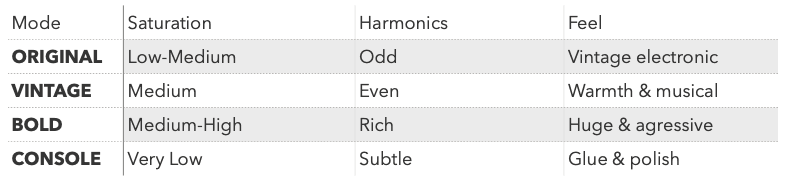
Choosing right engine
Selects the internal saturation circuit
Original architecture is Diode-based engine. But now you have options to change character of the whole resonator effect, in different colors for you needs
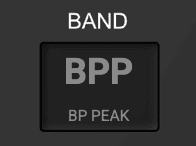
More filter modes
Move beyond standard filtering
- LP / HP: for tonal shaping - BPP (Peak): for resonant emphasis - BPN (Notch): for spectral carving Transform the processor from a gentle enhancer into a powerful sound design tool.
HOW TO USE
Over time, producers discovered it could: simulate vocal articulations, create ensemble richness, push synths forward in dense arrangements, add dimension without obvious effects. - Raise one band’s Emphasis. - Sweep the CF (Center Frequency) slowly. You will immediately hear the sound “speak.” - Add a second band for complexity. - Adjust Gain to balance energy. - Select an Engine to shape harmonic density. - Blend with Mix for parallel processing. - Small moves often produce the most musical results.
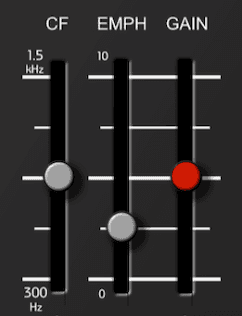
BANDS CONTROL
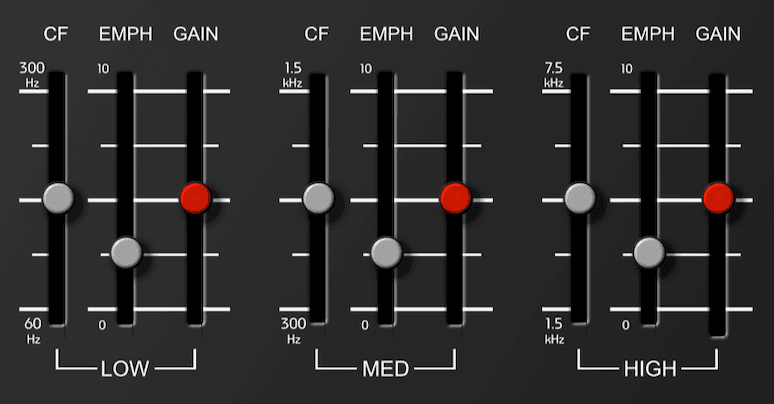
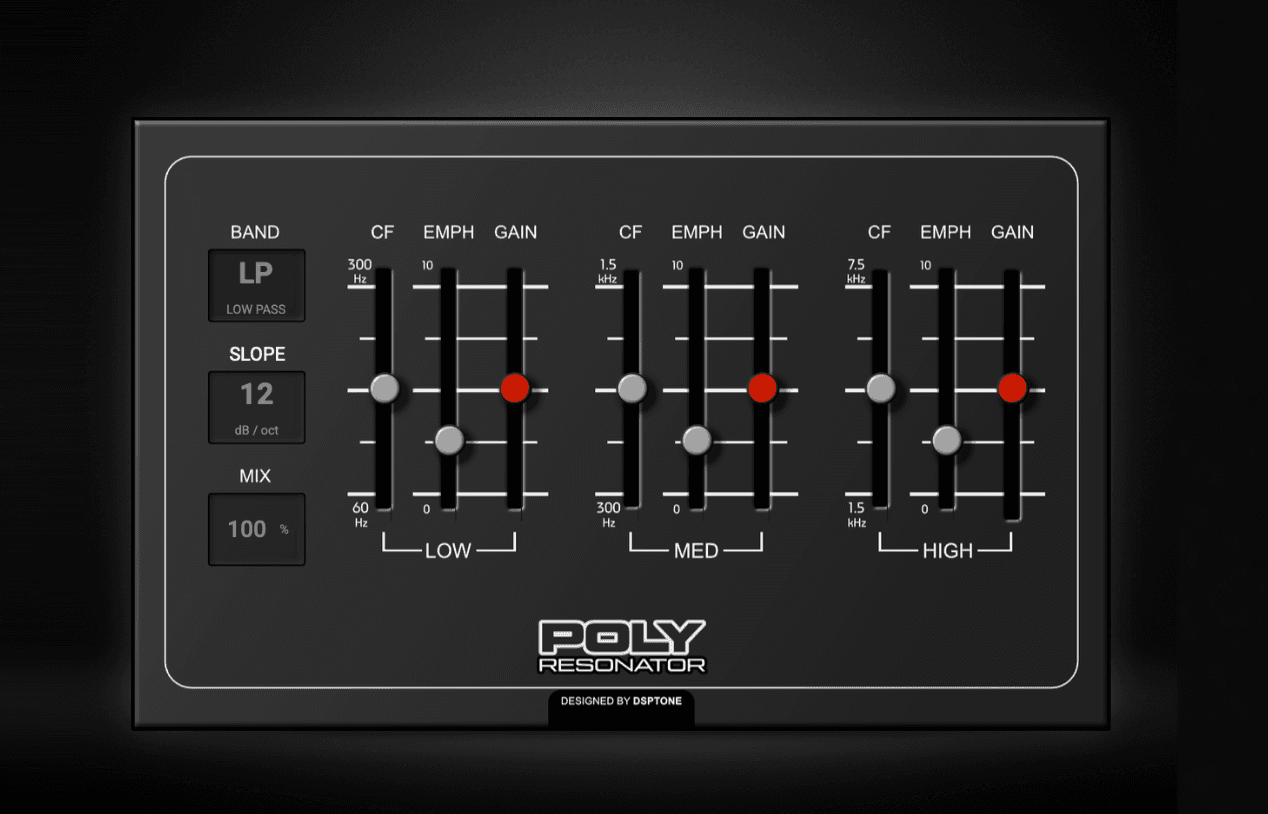
Low, Med & High bands have three main controls
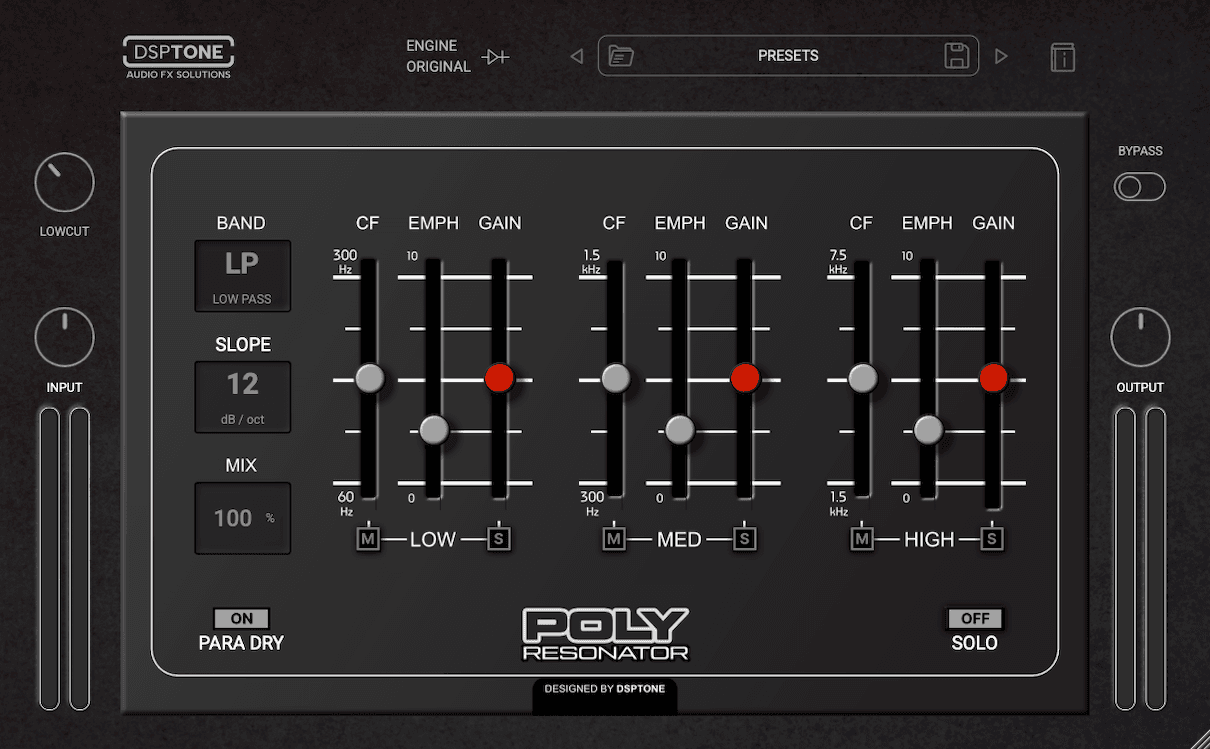
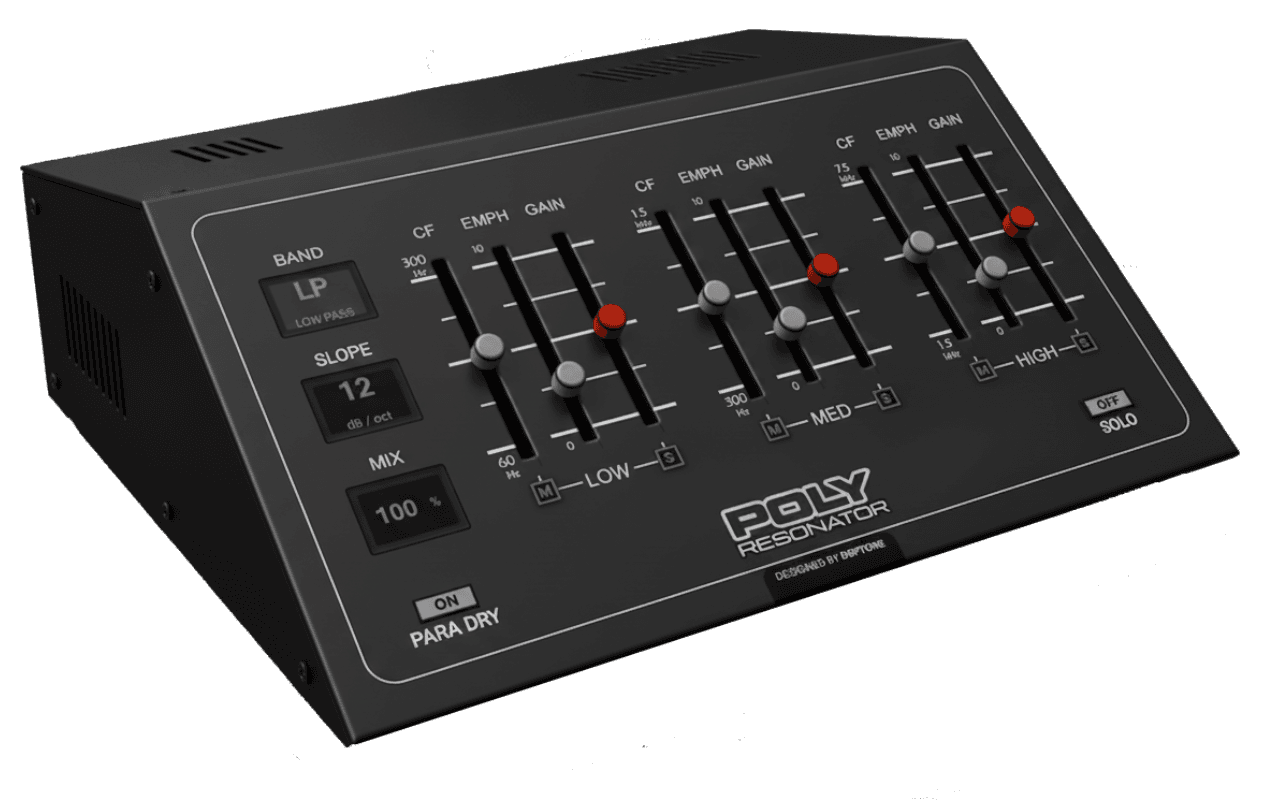
- CF: Center Frequency. Selects the frequency focus of each resonant band in own ranges: Low band: 60-300 Hz Med band: 300 Hz - 1.5 kHz High band: 1.5 - 7.5 kHz - EMPHASIS: Controls band resonance intensity. Higher values narrow the band and enhance formant character. - GAIN: Adjusts the contribution of each band within the summed signal. Main resonator effect functional is reducing the band gain to cut signal. But you can also increase gain for any band for own needs.
FILTER MODES
Move beyond original filtering options
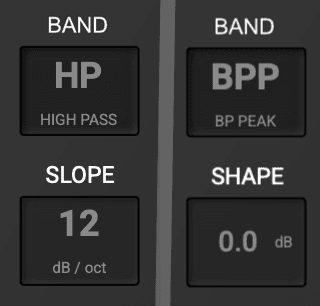
Transform the processor from a gentle enhancer into a powerful sound design tool. Band switch between 4 global filter modes: - LP: LowPass filter, removes upper frequencies - BPP: Peak Bandpass filter: emphasizes the selected frequency - BPN: Notch Bandpass filter: attenuates the selected frequency - HP: HighPass filter, removes lower frequencies SLOPE (HP, LP): Choose between 6 dB for gentle shaping or 12 dB for stronger filtering. SHAPE (BPP): Allowing for sharper or more pronounced resonant boosts
PRE LOWCUT
Pre High-Pass (LowCut) filter
Removes excessive low frequencies before the signal enters the resonator bands. This improves clarity, prevents low-end distortion, and allows the resonant bands to react more musically. Lower settings retain weight and body, while higher settings emphasize articulation and formant detail.
MIX
Parallel processing tool
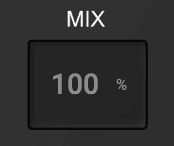
Controls the mix level of the processed wet FX signal, blending it with the incoming unprocessed dry signal. Flexible FX control for your signal processing.
Other controls
INPUT: Adjusts incoming signal level. Range: −inf to +12 dB (Default: 0 dB) OUTPUT: Adjusts final output signal level. Range: −inf to +12 dB (Default: 0 dB) I/O METERS: Individual Input and Audio meters placed at the left (input meter) and right (output meter) sides of the plugin interface for the gain staging control
Who used unique Resonator?
Many artists certainly used the Polymoog™ and its unique Resonator section extensively within their music, shaping the sound of the internal synth voices. It's a sonic character as a core part of their sound design. Extracting and re-engineering this complex analog circuit to accept external audio signals and function reliably as a standalone unit was been a significant undertaking, and likely not commercially viable given the niche market and the availability of simpler, more versatile standalone filters. But some hardware brands already make Resonators as standalone effect processor. And we present to you Resonators as unique FX-design tool. - Gary Numan*: cold, metallic, and often haunting sounds were central to his early work on albums like "The Pleasure Principle" (1979). - Tony Banks (Genesis)*: Banks was a big fan and used it for unique textures and pads, often blending it with other synths on tracks from albums like "Duke" (1980) and "Abacab" (1981), contributing to lush, sometimes metallic-sounding pads and strings. - Rush (Geddy Lee)*: used Resonators effect to add layers on pads to synth-heavy sound in the late 70s and early 80s. - Patrick Moraz (Yes)*: create complex and dynamic soundscapes with Resonators sections, like at "Permanent Waves" (1980) and "Moving Pictures" (1981). The resonator would have contributed to the character of the string and pad sounds. - Kraftwerk*: contributing to their signature robotic and electronic soundscapes. They layered many sounds, but it would have added to the overall texture of albums from the late 70s/early 80s. * ™: All product names, artists and bands names, trademarks and registered trademarks are the property of their respective owners. All company, product, bands and service names used are for identification purposes only. Use of these names, trademarks and brands - does not imply endorsement!
BEST USED BY INSTRUMENTS
- Pads & Strings - Analog-style polysynhts - Electric pianos - Guitars - Drum Buses - Sound design layers - Vocals
TIPS & CREATIVE TECHNIQUES
CREATE VOCAL TEXTURE Boost the MID band with moderate emphasis and sweep between 600–900 Hz for vowel-like articulation. ANIMATE STATIC SYNTH Use low emphasis on multiple bands rather than pushing one aggressively. Overlap creates movement without modulation. TUNE YOUR DRUMS Focus the HI band around 2–4 kHz to add pitch-like presence to snares and percussion. ADD ANALOG WEIGHT Switch to Vintage or Console engines and drive gently for subtle harmonic thickening. PARALLEL MAGIC Set Mix between 30–60% to enhance tone while preserving the original transient detail.
LEGEND OF THE ELECTRONIC SOUND
At the early era of Polyphonic Analog synthesis
UPDATE 1.0.5
- Performance improvements (Improved CPU usage). UPDATE 1.0.3: - Improved CPU and RAM usage, significant performance improvements. - True Bypass: Bypass no longer utilize CPU
Sound Examples
AAX, AU, VST3 versions
64-bit only
Ableton Live 11+ (Mac & PC: AU, VST3)
Bitwig 4+ (Mac & PC: AU, VST3)
Cubase 13+ (Mac & PC: VST3)
Digital Performer 11+ (Mac & PC: AU, VST3)
FL Studio 23+ (Mac & PC: VST3)
Garageband 10+ (AU)
Logic Pro 10+ (AU)
Pro Tools 12+ (Mac & PC: AAX)
Presonus Studio One 5+ / Fender Studio (Mac & PC: AU, VST3)
Reaper 6+ (Mac & PC: VST3)
Cakewalk Next by BandLab (PC: VST3)
AAX is a trademark and software of Avid Technology. Audio Units is a trademark and software of Apple Inc. VST3 is a trademark and software of Steinberg Media Technologies GmbH.
AAX, VST3, AU versions included
64-bit only (Mac / PC)
Mac OS X 10.15 or higher (Intel native | ARM native)
Windows 10
At least 4GB of RAM, 16GB is recommended
At least 200MB of free drive space (OS drive)
Customer reviews
Own this product? Sign in to write a review
No reviews yet. Only people who bought this product can write one.
More from DSPTone
by DSPTone
Unique spatial reconstruction plugin that combines sustain reduction, analog tape saturation, and a pristine shimmer reverb. Designed primarily for drums, loops, vocals, and synth plucks, it allows you to strip away unwanted natural acoustic clutter and replace it with a tight, warm, and highly controlled burst of modern analog air.
by DSPTone
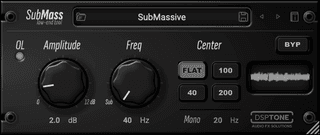
SubMass is designed to solve the ultimate mixing challenge: achieving a massive, powerful bass response that remains perfectly tight, clean, and focused. In standard mixing, boosting low-end with a traditional equalizer often introduces unwanted sub-bass mud, robs your mix of headroom, and creates a flabby, uncontrolled low-end. SubMass fixes this by using a specialized, interactive filtering circuit. It creates a tight, resonant volume peak right at your chosen target frequency while simultaneously executing an aggressive high-pass cutoff immediately below it.
by DSPTone
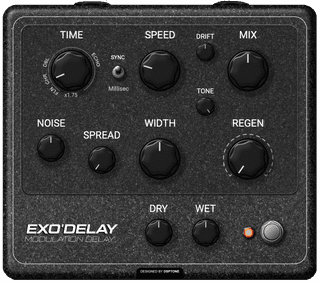
Several delay eras combined into one, from vintage modulation echoes to wide modern rhythmic textures, offering chorusing, flanging, doubling, and expressive delay. Inspired by classic digital hardware and modern modulation design.
Similar products
by Canvas Audio
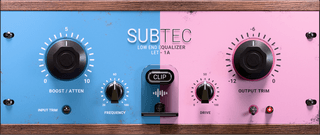
Subtec is a low-end equalizer designed around the classic boost-and-attenuate trick. It adds punch, focus, and weight to your bass frequencies without the mud.
by Canvas Audio
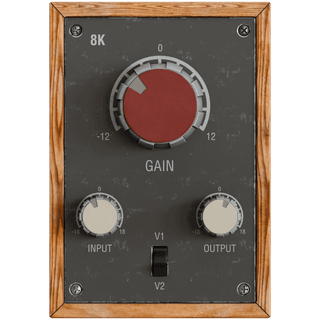
The definitive sound of hits, 8K is that magical frequency heard on everything from drum shells, to vocals, even guitar tracks. Crank it up and hear the real magic!
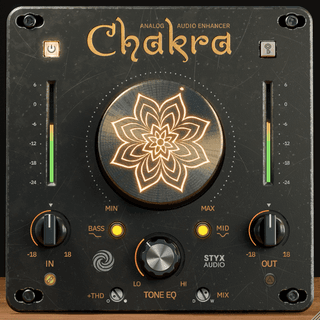
by Styx Audio
Chakra is a fast analog tone-shaping plugin for adding harmonic richness, weight, openness, density, and musical color. Use it on tracks, buses, or before the final limiter.
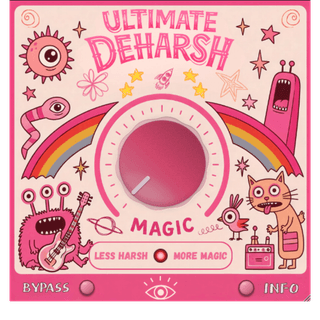
by The Ultimate Production
Ultimate Deharsh is a one-knob plugin that smooths harsh frequencies in distorted guitars without killing your tone. Dial it in and get smoother, less fatiguing guitars in seconds.
Bundles with this product
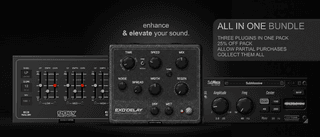
Bundle by DSPTone
bundle, dsptone, delay, resonator, low end tool, eq, filter, mix, enhancer