PWM 156
A SUPER RARE CLASSIC COMPRESSOR IN YOUR DAW
PWM 156
A SUPER RARE CLASSIC COMPRESSOR IN YOUR DAW
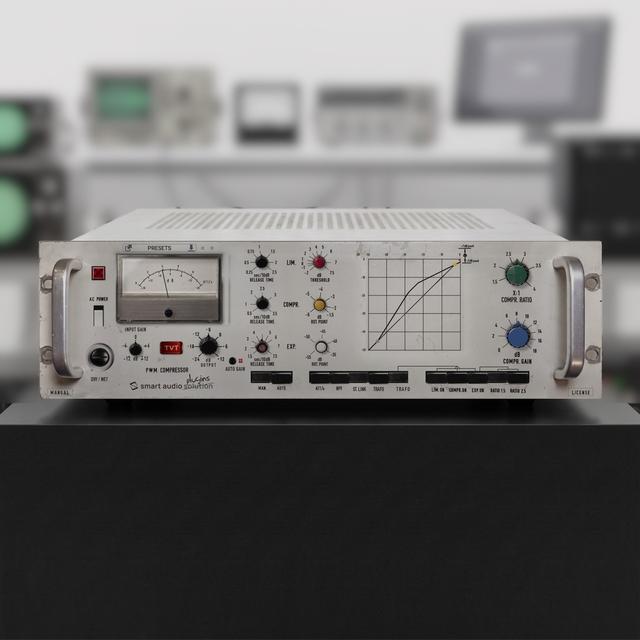
A limiter, compressor and expander based on a vintage PWM unit, with Time Variance Technology, a switchable transformer stage with two transformers, INPUT GAIN, AUTO GAIN, parallel DRY / WET and a level diagram that updates as you adjust the controls.
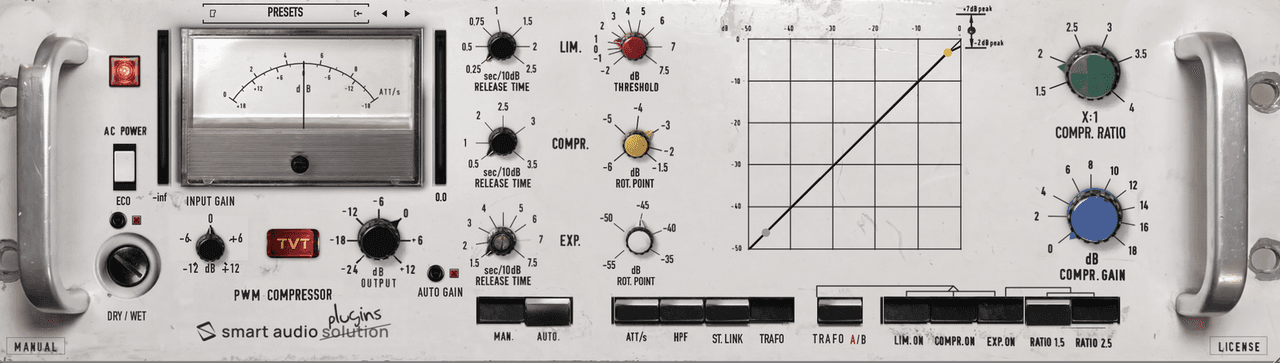
A SUPER RARE CLASSIC IN YOUR DAW
One year in the making. A superb audio processor.
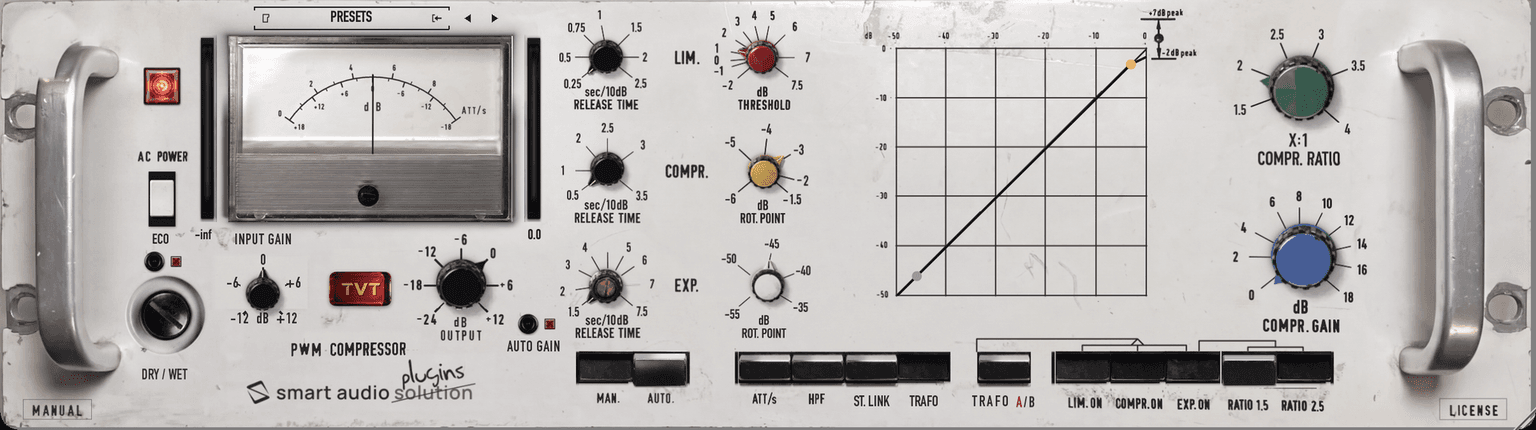
PWM 156 combines a limiter, a compressor and an expander, which can be used separately or together. They are followed by the original unit's transformers and output amplifier, with two transformers to choose from. This stage can stay in the signal path or be switched out. With a slow release it works much like an engineer riding the fader; with a faster release the processing becomes clearly audible. In the centre of the panel a level diagram is redrawn as you adjust the controls, so you can see what the settings are doing. Everything the original unit does is here; what we added is listed below.

TIME VARIANCE TECHNOLOGY
TVT: the behaviour of the unit, captured as it changes over time.
TVT stands for Time Variance Technology. Time inside an audio processor is different from how we usually think of it. Tape is the obvious example. By its nature, tape is always slightly different. We can describe its harmonic saturation as a “vertical” difference. It also changes over time, “horizontally”. That part is fairly obvious. What does TVT do in a compressor? An analogue compressor reacts differently to each transient it receives. The way it handles gain reduction over time also differs with each transient. The compressor does not respond equally to all frequencies. The same transient is handled differently over time depending on its frequency, the input level and what the compressor has just been doing. With TVT, we capture these tonal nuances as they change over time in the analogue domain. These changes happen dynamically and naturally. TVT does not add noise or random variation.
WHAT IS NOT ON THE ORIGINAL UNIT
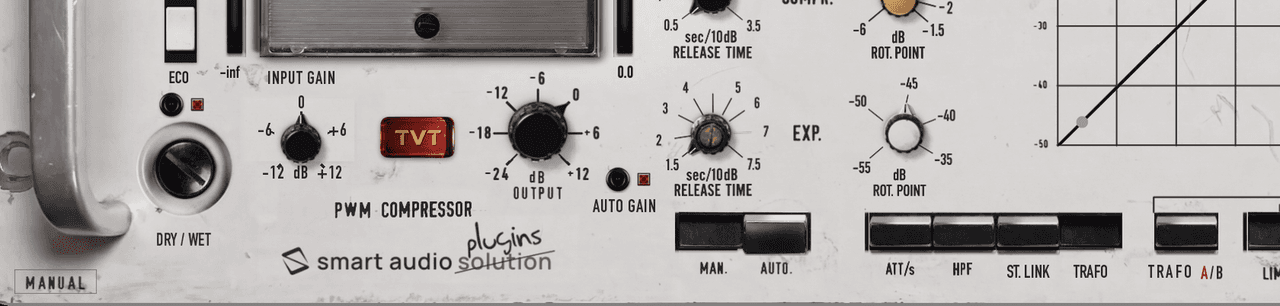
The controls we added. Everything else behaves as the original.
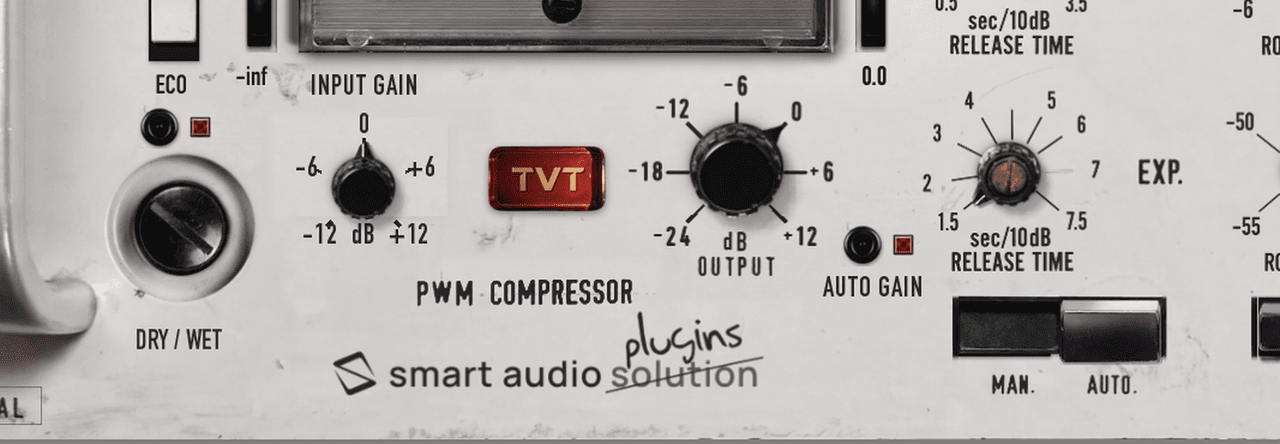
INPUT GAIN: level control at the start of the signal path, −12 to +12 dB. OUTPUT: output level after the transformer stage, −24 to +12 dB. AUTO GAIN: compensation of the average gain of the compressor, calculated from the controls. DRY / WET: the fuse holder is a control, for parallel compression. TRAFO: switches the transformer and amplifier stage in and out; on the original it is always in. TRAFO A/B: a choice between two transformers, taken from two original units. HPF: high-pass filter in the level detection of the compressor and the expander. ST. LINK: stereo link of the two channels; the original is a mono unit. ECO: a lighter processing mode that uses about a quarter less CPU, with the same level and tone. Input and output bar meters beside the gain meter, and the level diagram drawn automatically. With INPUT GAIN at 0 dB, OUTPUT at 0 dB, DRY / WET at 100 %, TRAFO pushed, transformer A selected and HPF, ST. LINK, AUTO GAIN and ECO released, the plugin is the original unit.
THE SIGNAL PATH
How the signal flows through the unit.
INPUT GAIN is the first control in the path: it sets the level entering the sections, the transformer stage and the meters, so it changes how hard everything is driven, like the level feeding the original unit. The compressor and the expander share one gain-control stage, which responds to the programme level. The limiter acts on the same stage and holds the peaks. After the limiter and AUTO GAIN comes the original unit's transformer and output amplifier stage, captured at unity gain. This stage gives the unit its colour and stays in the path even with all three sections switched off. Releasing TRAFO removes it: the dynamics sections carry on working and the level does not change. TRAFO A/B selects one of two transformers. OUTPUT (−24 to +12 dB) is the last stage, after the transformers, so it changes the level without changing how hard the transformers are driven. Double-click it to return to 0 dB. AC POWER switches the plugin in and out; the red lamp is lit while it is active. 0 dB on the panel corresponds to about −14.5 dBFS peak, the level at which the plugin behaves like the original unit. The two channels are processed independently, like two mono units side by side, unless ST. LINK is pushed. Latency is about 8 ms, reported to the host.

SWITCHING THE SECTIONS IN
Which sections to use, and in what combination.
On the original unit nothing works until FUNCTION is pressed. In the plugin it is always engaged, so you can go straight to LIM.ON, COMPR.ON and EXP.ON. With all three released the plugin neither adds nor removes gain, but the transformers are still in circuit as long as TRAFO is pushed. The useful combinations are: limiter alone, compressor alone, limiter and compressor, compressor and expander, and all three together. Next to these keys, TRAFO switches the transformer stage in and out, and TRAFO A/B, in the position of FUNCTION, selects the transformer; the lit letter shows the one in use.
LIMITER
A peak limiter with no look-ahead and a programme-dependent release.
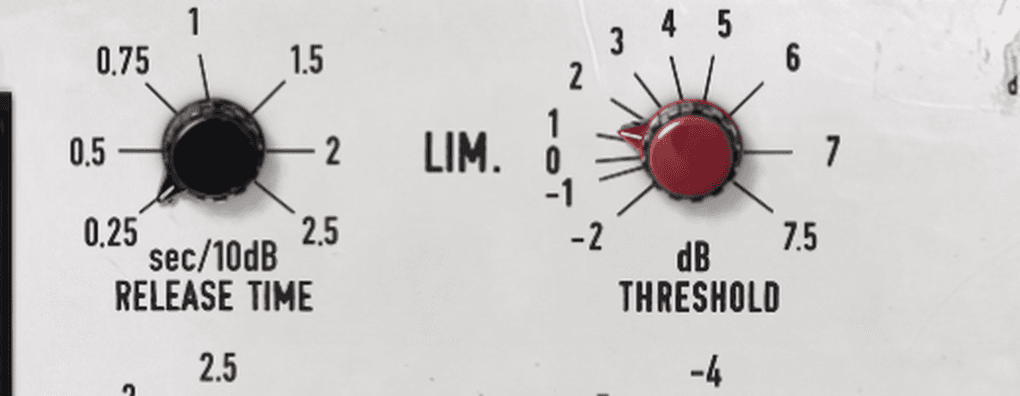
With LIM.ON pressed the plugin works as a peak limiter. Below the threshold it has no effect; above it, each additional dB at the input reduces the gain by 1 dB. The red THRESHOLD knob sets the threshold between −2 and +7.5 dB. As on the original unit, there is no look-ahead. The limiter responds in about 0.1 ms, so the first half-cycle of a sudden peak can overshoot the threshold by as much as 5 dB. After a peak the gain is held down for as long as further peaks keep arriving, and starts to return only once the programme has been below the threshold for a moment. LIM. RELEASE sets how quickly it then returns. With the limiter on, the compressor also recovers more slowly, as on the original unit. On this unit a little limiting is part of the character, particularly on material with sharp transients. Controlling the peaks lets you raise the average level without overloading the next stage.
COMPRESSOR
Three knobs set the shape of its curve.
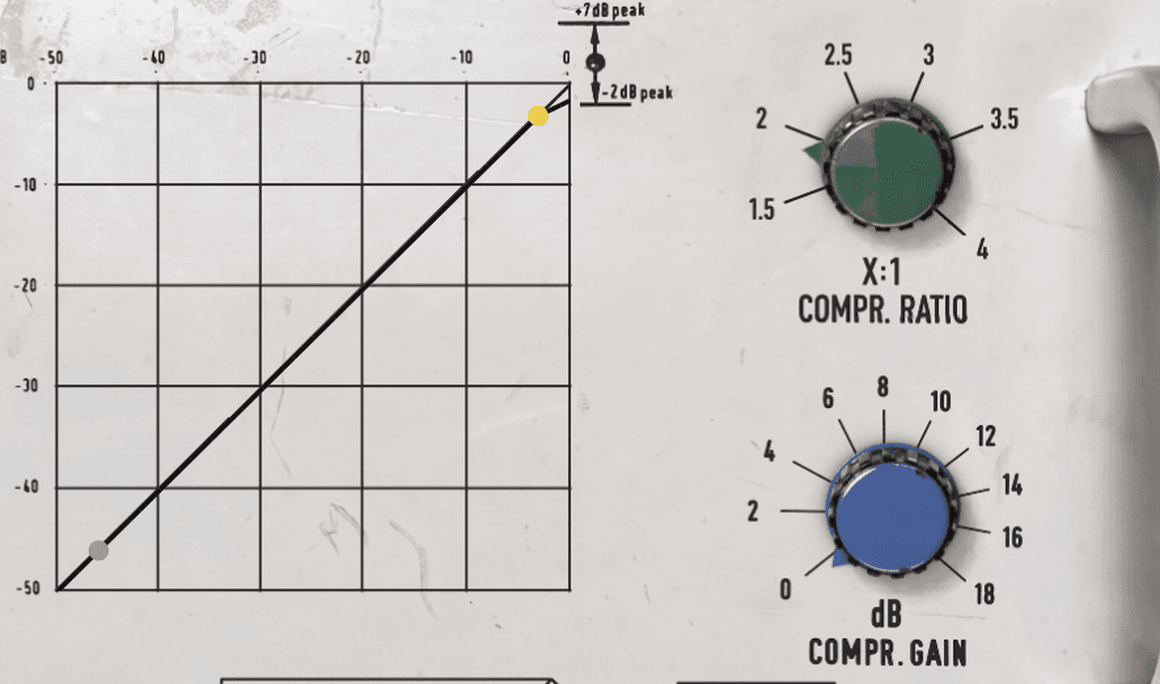
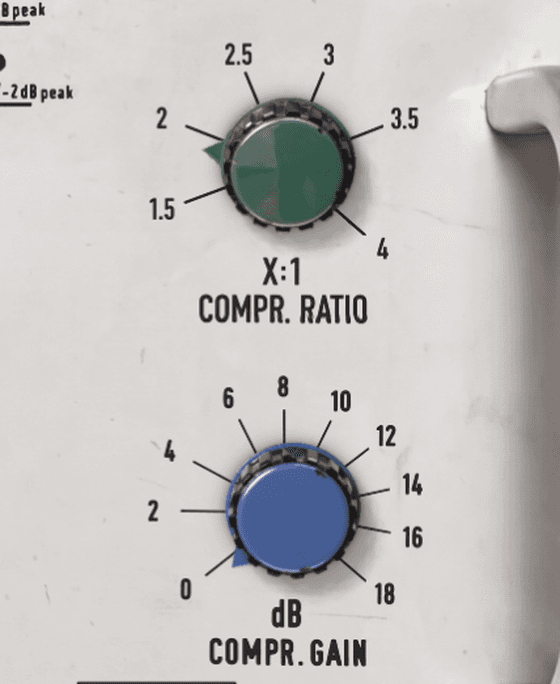
With COMPR.ON pressed, the compressor responds to the programme level with an attack time of about 2 ms. COMPR. GAIN (blue, 0 to +18 dB) sets how much gain is added to low- and mid-level signals. As the level increases, the compressor gradually reduces this extra gain. COMPR. RATIO (green, 1.5:1 to 4:1) sets how strongly high levels are compressed. At 3:1, an increase of 3 dB at the input gives 1 dB more at the output. ROT. POINT (yellow, −6 to −1.5 dB) is the point the compression line pivots around. Moving it shifts the whole line and changes the gap between the compression and limiting regions.
EXPANDER
Stops the compressor raising background noise.
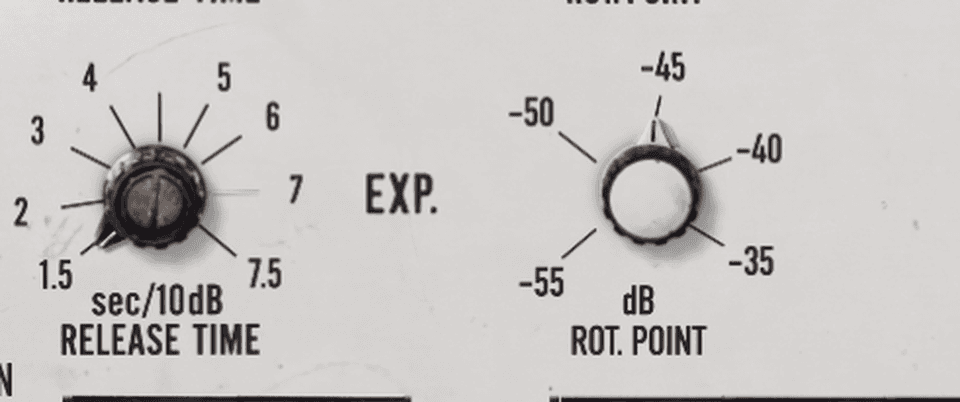
Without the expander, COMPR. GAIN would also raise hiss and room noise. Below the level set with the white ROT. POINT knob (−55 to −35 dB), the plugin adds no gain at all, so noise in the pauses stays at its original level. Above that level, the added gain rises with the signal until it reaches the COMPR. GAIN setting. The expander only cancels the gain added by the compressor; it never takes the level below unity. It only works together with the compressor, so EXP.ON has no effect unless COMPR.ON is also pressed. RATIO 1.5 and RATIO 2.5 set how quickly the added gain rises: with RATIO 2.5 the change from no added gain to full COMPR. GAIN happens over a narrower range of input levels.
THE LEVEL DIAGRAM
Input against output level for the current settings.
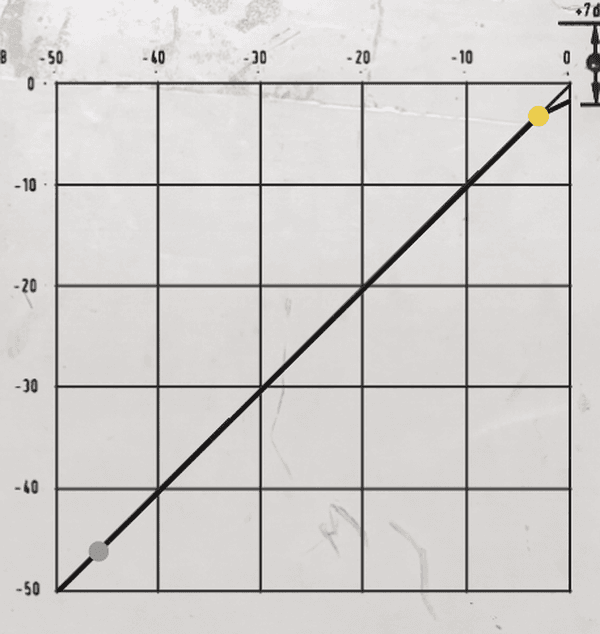
Input level runs along the horizontal axis and output level up the vertical one, both from −50 to 0 dB. The black line shows the current transfer curve and is redrawn as you turn the knobs. The yellow dot is the compressor's rotation point, the grey dot is where the expander starts, and the red dot is the limiter threshold. The original unit's manual asked the user to draw this curve by hand on a printed form; the plugin draws it for you. Comparing the diagram with what you hear is a quick way to find the right setting.
ATTACK AND RELEASE
Fixed attack, manual or automatic release.
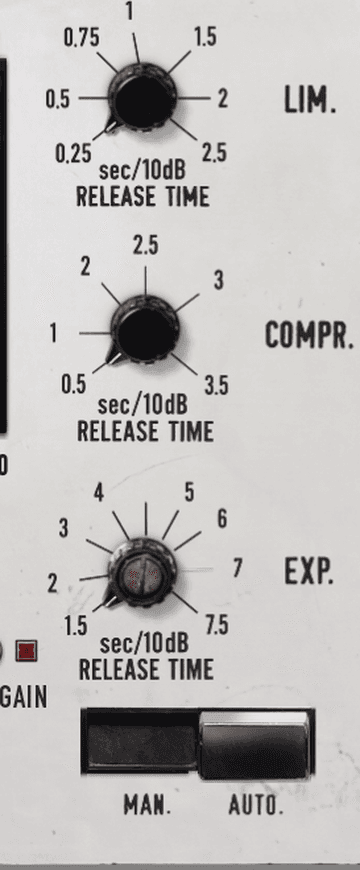
Attack times are fixed: about 2 ms for the compressor and about 0.1 ms for the limiter. With MAN. pressed, each section has its own RELEASE TIME knob, calibrated in seconds per 10 dB: limiter 0.25 to 2.5, compressor 0.5 to 3.5, expander 1.5 to 7.5. At 2 sec/10 dB, recovering 10 dB of gain takes 2 seconds. For the limiter the knob sets how quickly the gain returns once the peaks have stopped: while peaks keep arriving the gain is held, whatever the setting. With AUTO. pressed, the release follows the programme. The limiter comes back quickly after each peak. The compressor waits a moment after the level falls, longer after heavy compression, and then recovers at a steady rate, so short peaks do not make the level jump while long loud passages are released smoothly. The expander releases at about 0.7 sec/10 dB. The release has as much effect on the sound as ratio and gain. With a slow release the gain changes slowly and the short-term dynamics are preserved. With a fast release the gain follows the music closely and the processing becomes audible. If it is set too fast, the sound loses clarity.
THE METERS
Gain change in dB, limiter actions per second, input and output level.
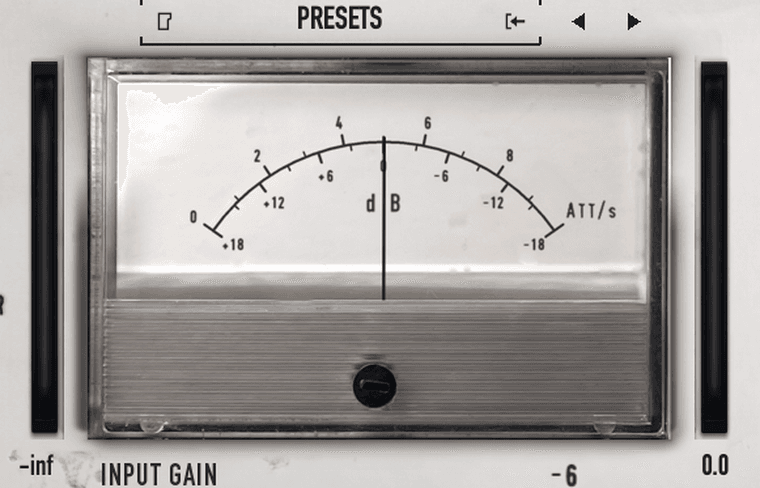
On the dB scale the central meter shows the total gain change, from +18 on the left to −18 on the right: left of centre the plugin is adding gain, right of centre it is reducing it. Because it shows the total, it cannot tell you how much of the reduction comes from the limiter and how much from the compressor. OUTPUT and AUTO GAIN move it too, so keep OUTPUT at 0 dB and AUTO GAIN released while setting up the sections. With ATT/s pressed, the meter counts how many times per second the limiter operates, up to 10. If the needle keeps reaching the end of the scale, the input level is too high, unless you want that much limiting. The two bar meters beside it show the level entering the plugin and the level leaving it, from −48 to 0 dBFS. The preset bar is just above the meter, and the MANUAL button under the left handle opens the full manual.
INPUT GAIN, OUTPUT, AUTO GAIN AND DRY / WET
The level controls around the TVT plate.
INPUT GAIN (−12 to +12 dB) sets the level entering the plugin, before the sections, the transformers and the meters: it changes how hard the limiter, the compressor and the transformers are driven, exactly as a change in the level feeding the original unit would. Double-click to return to 0 dB. OUTPUT (−24 to +12 dB) sets the level leaving the plugin, after the transformers, without changing the sound. AUTO GAIN, the small key below OUTPUT, compensates the average change in level caused by the compressor. It is calculated from the settings of COMPR. RATIO, COMPR. GAIN and ROT. POINT, not from the programme, so it does not follow the music like a second compressor; it changes only when the controls are moved, smoothly over about 0.3 s. The LED lights while it is in. DRY / WET: the fuse holder under the meter mixes the unprocessed signal with the processed one, from 0 % to 100 %, for parallel compression. The mix is made before the transformer stage and the two signals are time-aligned.
THE TRANSFORMER STAGE: TRAFO AND TRAFO A/B
Two transformers found in the original units.
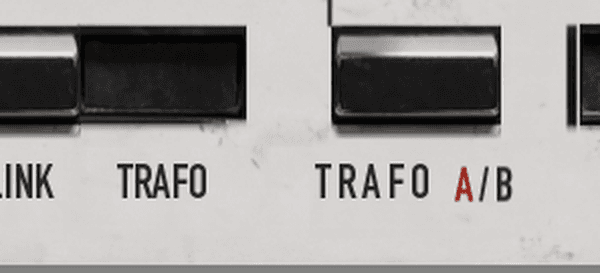
The transformer and output amplifier stage of the original unit, captured at unity gain, sits between AUTO GAIN and OUTPUT. With TRAFO pushed, the normal position, it is in the signal path and provides the characteristic colouration. Releasing TRAFO removes it: the limiter, compressor and expander keep working and the level stays the same. TRAFO A/B selects one of two transformers found in the original units; the lit letter shows the one in use. Transformer A saturates more at high level and, as it saturates, rounds off the transients: a somewhat more tape-like behaviour at high level. Transformer B saturates less, has a slight sparkle in the top and leaves the transients freer.
WHERE TO START
A suggested starting point.
1. Start with the compressor alone. Press COMPR.ON and release LIM.ON and EXP.ON. Set the yellow ROT. POINT knob to −3 dB, leave INPUT GAIN at 0 dB, press AUTO. and start playback. 2. Set COMPR. RATIO (green) to about 2:1 for acoustic and classical material, or about 3.5:1 for pop. 3. Set COMPR. GAIN (blue) to about 10 dB to begin with. Clean, quiet sources will take more; on a noisy source, 18 dB will make the background noise rise and fall audibly between phrases. If that happens, lower the gain or raise the ratio. 4. If the noise in the pauses rises, press EXP.ON and select RATIO 2.5. Play a passage that contains only background noise and turn the white ROT. POINT knob until the meter reads 0 dB. The noise in pauses will then stay at its original level. 5. Add the limiter only at the end, if you need it. Press LIM.ON with THRESHOLD (red) at its highest setting, then lower it until the peaks are held where you want them. Press ATT/s: if the needle moves, peaks are being limited; decide whether that is what you want, then release ATT/s. The yellow ROT. POINT knob also affects how often the limiter acts: the higher the setting, the more gain the compressor adds and the more often the limiter operates. 6. Release TRAFO and push it again to hear what the transformers add, then try TRAFO A/B. Leave the stage in for the sound of the original unit. 7. If the bass drives the compressor too hard, press HPF. On stereo material, press ST. LINK if the image moves. Press AUTO GAIN if the level should stay about the same when the compressor settings change. Use DRY / WET for parallel compression. If the gain changes too much, lower the ratio. Raise it for a denser sound.
SPECIFICATIONS
Technical data.
Reference level: 0 dB on the panel = about −14.5 dBFS peak Channels: 2, independent or linked Input gain: −12 to +12 dB Dry / wet: 0 to 100 % Latency: about 8 ms, reported to the host Limiter threshold: −2 to +7.5 dB, attack about 0.1 ms, programme-dependent release Compressor attack: about 2 ms Compression ratio: 1.5:1 to 4:1 Compression gain: 0 to +18 dB Rotation point, compressor: −6 to −1.5 dB Rotation point, expander: −55 to −35 dB Expansion ratio: 1:1.5 / 1:2.5 Release (MAN.): limiter 0.25 to 2.5, compressor 0.5 to 3.5, expander 1.5 to 7.5 s/10 dB Release, expander (AUTO.): about 0.7 s/10 dB Output: −24 to +12 dB Meter: +18 to −18 dB, or 0 to 10 limiter actions per second; input and output meters −48 to 0 dBFS Transformer stage: switchable (TRAFO), two transformers A / B Sidechain filter (HPF): 100 Hz, 12 dB/octave AUTO GAIN: calculated from the controls
AAX, AU, VST3 versions
64-bit only
Ableton Live 11+ (Mac & PC: AU, VST3)
Bitwig 4+ (Mac & PC: AU, VST3)
Cubase 13+ (Mac & PC: VST3)
Digital Performer 11+ (Mac & PC: AU, VST3)
FL Studio 23+ (Mac & PC: VST3)
Garageband 10+ (AU)
Logic Pro 10+ (AU)
Pro Tools 12+ (Mac & PC: AAX)
Presonus Studio One 5+ / Fender Studio (Mac & PC: AU, VST3)
Reaper 6+ (Mac & PC: VST3)
Cakewalk Next by BandLab (PC: VST3)
AAX is a trademark and software of Avid Technology. Audio Units is a trademark and software of Apple Inc. VST3 is a trademark and software of Steinberg Media Technologies GmbH.
AAX, VST3, AU versions included
64-bit only (Mac / PC)
Mac OS X 10.15 or higher (Intel native | ARM native)
Windows 10
At least 4GB of RAM, 16GB is recommended
At least 200MB of free drive space (OS drive)
Customer reviews
Own this product? Sign in to write a review
No reviews yet. Only people who bought this product can write one.
More from Smart Audio Solution
by Smart Audio Solution
A simple BPM Reader/ converter in Millisecond and Fibonacci closest value
by Smart Audio Solution
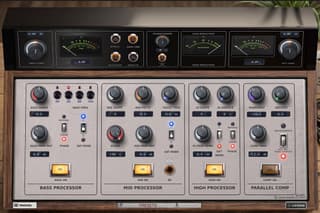
Timbral Box creates presence, emphasises the sound and, if desired, adds compression, but all of this takes place in parallel and through musical harmonic saturation.

by Smart Audio Solution
Emulsion BOX is a highly accurate emulator of four highly acclaimed converters; it also offers colour mix-and-match functionality and a digital harmonic THD section that can be used across the various modules
by Smart Audio Solution
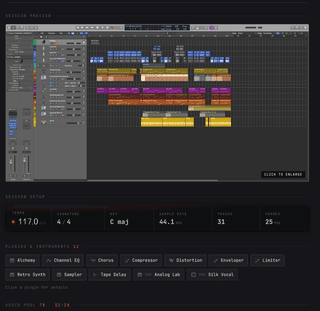
Session Reader is a simple programme that runs in Safari as an HTML page on Apple (apologies to Windows users – perhaps later) and allows you to preview key session data, depending on the type of DAW you use.
Similar products

by Smart Audio Solution
Timbral Box creates presence, emphasises the sound and, if desired, adds compression, but all of this takes place in parallel and through musical harmonic saturation.
by Carve Audio
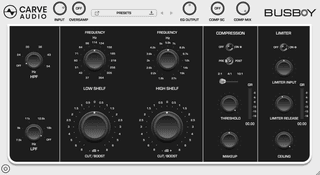
Busboy was designed to serve your mix. It pairs rich, musical high and low shelves with precise high- and low-pass filters, then brings everything together with smooth compression and a final limiter for clean peak control and a polished, finished sound.
by Canvas Audio
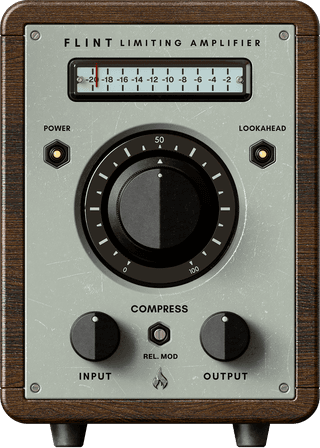
The Canvas Audio Flint Dynamic Limiting Amplifier is a no-compromise peak limiting compressor with a very unique design. Taking into account a musically fast fixed attack, the adjustable release speed can really shape this compressor from wild and agressive, to transparent and powerful.